QuickBooks Webhook – Get Notified When Projects Change
Get notified every time a QuickBooks project changes. Add a QuickBooks webhook and connect to Make.com, n8n, Zapier, and 1000s of apps. No polling yourself. We push project updates to your URL in real time.
Need to create or update projects via API? See QuickBooks Projects API.
Everything you need for QuickBooks project change notifications
Real-time notifications
We POST to your URL when projects are created, updated, or deleted. No polling.
Any HTTP endpoint
Works with Make.com, n8n, Zapier (Webhooks by Zapier), or your own app.
Full project payload
Payload includes projectId, name, status, dates, notes, custom fields, and isDeleted.
No polling
We detect changes and push to your URL. You don’t have to build or maintain polling.
Same QuickBooks connection
Use the same dashboard connection as the Projects API. Add a webhook URL and go.
Connect to 1000s of apps
Trigger automations in Make, n8n, Zapier and any tool that accepts webhooks.
Connect to 1000s of apps
Use Make, n8n, Zapier, or any webhook endpoint for instant workflows when your QuickBooks projects change.





Custom
Custom
Custom
Custom
How does the Clickr QuickBooks Webhook work?
Behind the scenes, Clickr is a browser automation tool that mimics the manual process of finding the changes in QuickBooks Projects. Breaking each process down into precise steps. Periodically, Clickr re-executes these steps, and notifies you of the changes ensuring consistent and accurate project management.
To make automation even more accessible, Clickr has been wrapped into popular tools like Zapier and n8n, allowing no-code users to trigger and manage QuickBooks Projects effortlessly. However, for developers and advanced users, the underlying system fully supports custom webhooks to into other systems or your own custom applications.
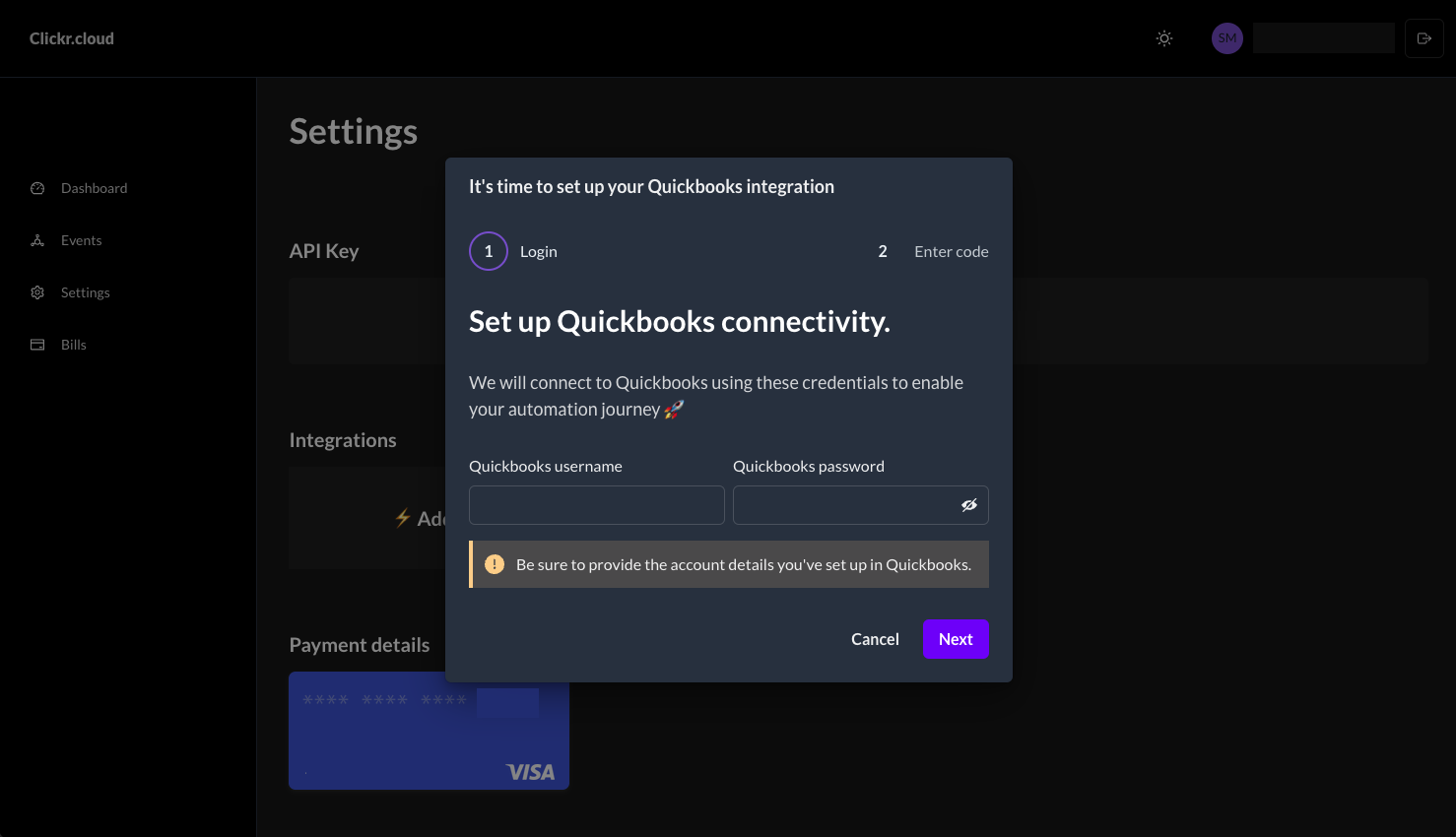
1. Create Your Clickr Integration
To get started, go to your Clickr Dashboard and click the add integration button.
Clickr Dashboard → ⚡ Add Integration → Enter QuickBooks Credentials2. Setup Multi-Factor Authentication
Clickr will provide you with a unique phone number that you'll use to link your QuickBooks account.
QuickBooks → User Profile → Manage Your Intuit Account → Sign-in & Security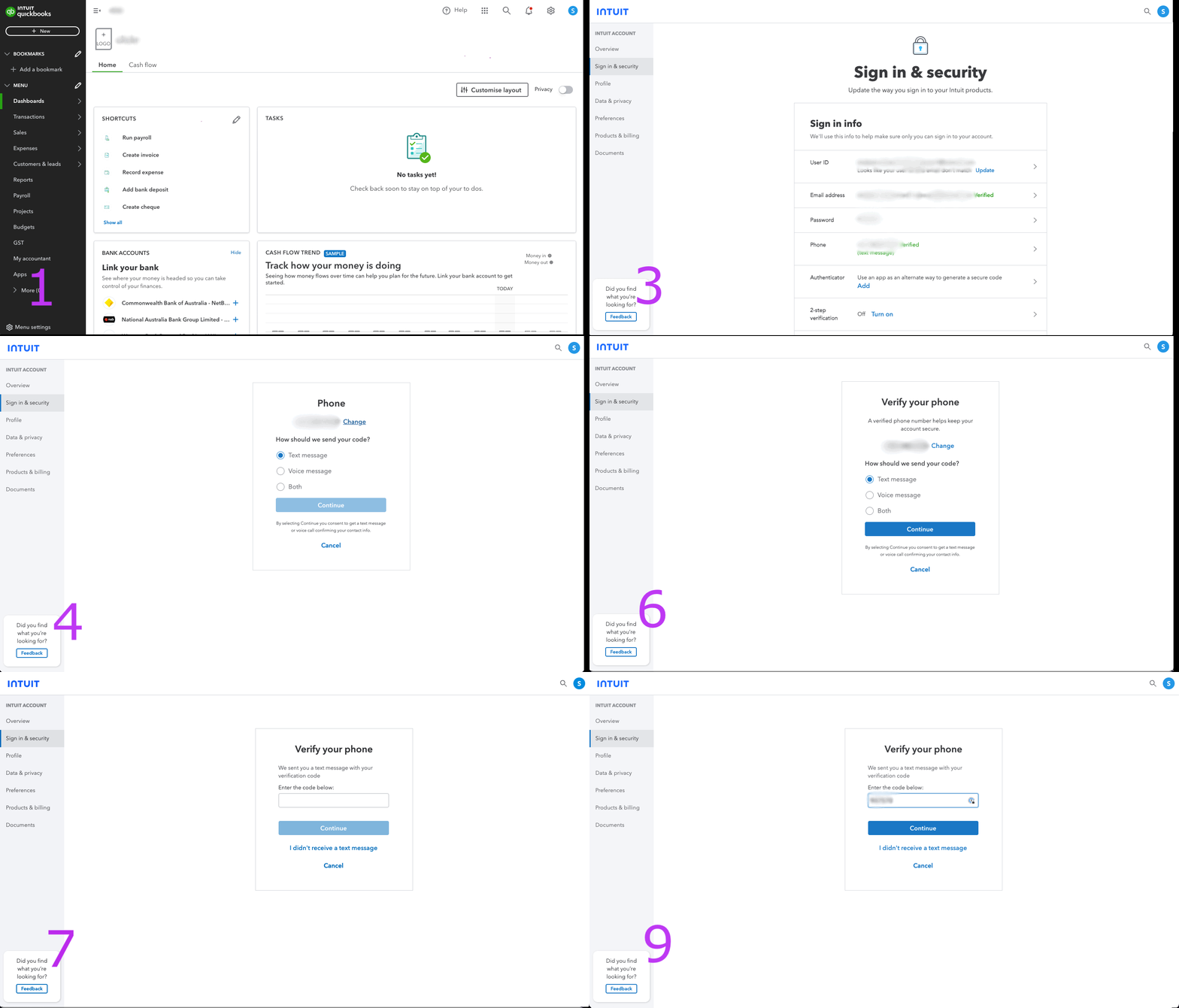
Add your webhook URL
Add a webhook in the dashboard and paste your URL—e.g. from Make.com, n8n, or Zapier’s Webhooks by Zapier.
We POST on every change
When we detect a project create, update, or delete, we POST the project data to your URL in real time.
Example webhook payload
We send a JSON body with the project data. Example:
{
    "projectId": "123",
    "name": "Kitchen Remodel",
    "status": "In Progress",
    "startDate": "2024-01-15",
    "endDate": null,
    "notes": "Client requested custom cabinets",
    "customFields": [],
    "isDeleted": false
}
Ready to get QuickBooks project change notifications?
Connect your webhook to Make, n8n, Zapier or any app.