Buildertrend connector
Beta
Get your Buildertrend
data out
Buildertrend has no public API. Clickr signs in with your own account, syncs 20 datasets every 10 minutes, and serves them from a dashboard, a REST API, an MCP server, or a pipeline that acts when a record changes.
Free for 3 months · $80/month after that
Schedule
Thompson Residence · Lot 24
Synced 2m ago
MON 14
TUE 15
WED 16
THU 17
FRI 18
Site clear
Delgado Excavating
Excavation
Delgado Excavating
Footings
Ruiz Concrete
Slab pour
Ruiz Concrete
Waiting for the next change
Schedules · resync every 10 min
What you get
20 datasets, kept current
Each one carries the full record and the fields your team fills in, resyncs every 10 minutes, and marks a record deleted when it is deleted in Buildertrend.
Schedules
title
jobName
phaseTitle
startDate
endDate
isCompleted
Baseline dates kept alongside current ones, so you can see what moved.
Tasks
title
jobName
status
dueDate
Every task across every job, with the custom fields you set up.
Leads
opportunityTitle
contactName
salesperson
leadStatus
estimatedRevenueMax
createdDate
Every lead with its owner, status and revenue range, so you can total the pipeline without opening each one.
Lead activities
leadName
activityTitle
activityStatus
assignedUser
contactDate
Every activity logged against a lead, with who performed it and when.
Jobs
jobName
jobStatus
street
city
state
zip
Projected and actual start dates side by side, so slippage is visible.
Change orders
coNumber
title
jobName
approvalStatusText
totalPrice
statusChangedDate
Approved amounts and dates per job, so you can total them without opening each one.
Proposals
job
status
amount
sentDate
What was sent, for how much, and whether it has been accepted yet.
Estimates
itemTitle
jobName
costCodeTitle
quantity
builderCost
ownerPrice
One record per line item, with its cost code, so you can total a job by code without opening the worksheet.
Purchase orders
poNumber
title
jobName
performingUserName
approvalStatusText
cost
What was ordered from which sub, where it sits in approval, and how much is still outstanding.
Daily logs
title
jobName
logDate
addedByName
notes
hasDocs
Every log entry with its author and date, searchable across jobs.
Invoices
invoiceNumber
jobName
ownerName
invoiceAmount
invoiceBalance
dueDate
Owner invoices the builder bills its clients, with amounts, tax, retainage, what has been paid and what is still owed.
Bills
billNumber
title
jobName
payTo
amount
remainingBalance
Bills the builder owes its vendors and subs, with the amount, what has been paid, what is still owed and the purchase orders each bill is paid against.
Lead proposals
title
opportunityTitle
clientContactName
clientPrice
requiredPayment
statusUpdatedDate
Proposals sent to leads, with the client price, the deposit required, who owns the opportunity and when the status last moved.
Selections
title
category
choiceCount
price
deadline
approvedBy
Selections on a job, with the deadline the client owes a decision by, the approved price, the allowance it draws down and who signed it off.
Bid packages
title
jobName
bidRequestCount
responseCount
totalApprovedBidAmount
deadlineDate
Scopes of work put out to tender, each with the subs invited, what they quoted and which bid was accepted.
Job costing budget
title
jobName
costCategoryTitle
revisedBudgetCosts
actualCosts
costToComplete
Every cost code on a job budget, with what was budgeted, what is committed, what has been spent and what the job is projected to make on it.
Documents
title
jobName
folderPath
addedBy
dateModified
Every file your team keeps in the Documents folders on your open jobs, each with a link to download it. Read once a day.
Time clocks
userName
shiftDate
jobName
totalWorkMinutes
overtimeMinutes
isApproved
Every shift with its job, its overtime split and whether it has been approved yet.
Internal users
name
role
primaryEmail
phoneNumber
activationStatusText
Your staff with their role, contact details and whether their login is still active.
Client contacts
displayName
primaryEmail
phone
city
jobCount
leadCount
Your whole customer book, with how many jobs and leads each contact appears on.
10 min
The interval between a change in Buildertrend and the same change in your data, on every dataset.
Accessing it
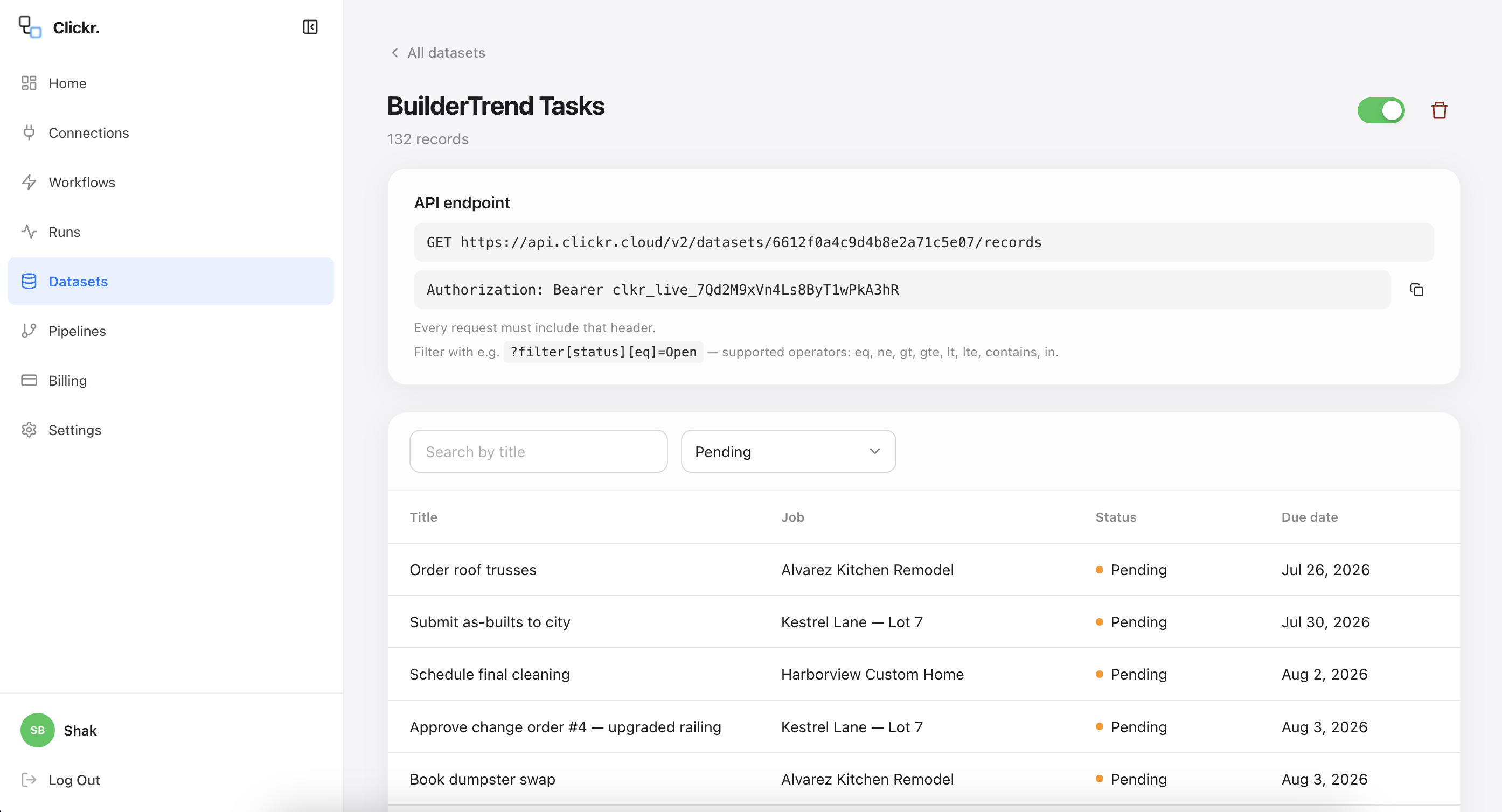
4 ways to reach your data, all included
Every route below reads the same synced records, and none of them sit behind an upgrade tier. The person who needs the data does not have to be the person who set it up.
Acting on a change
Notify a subcontractor when a job date moves
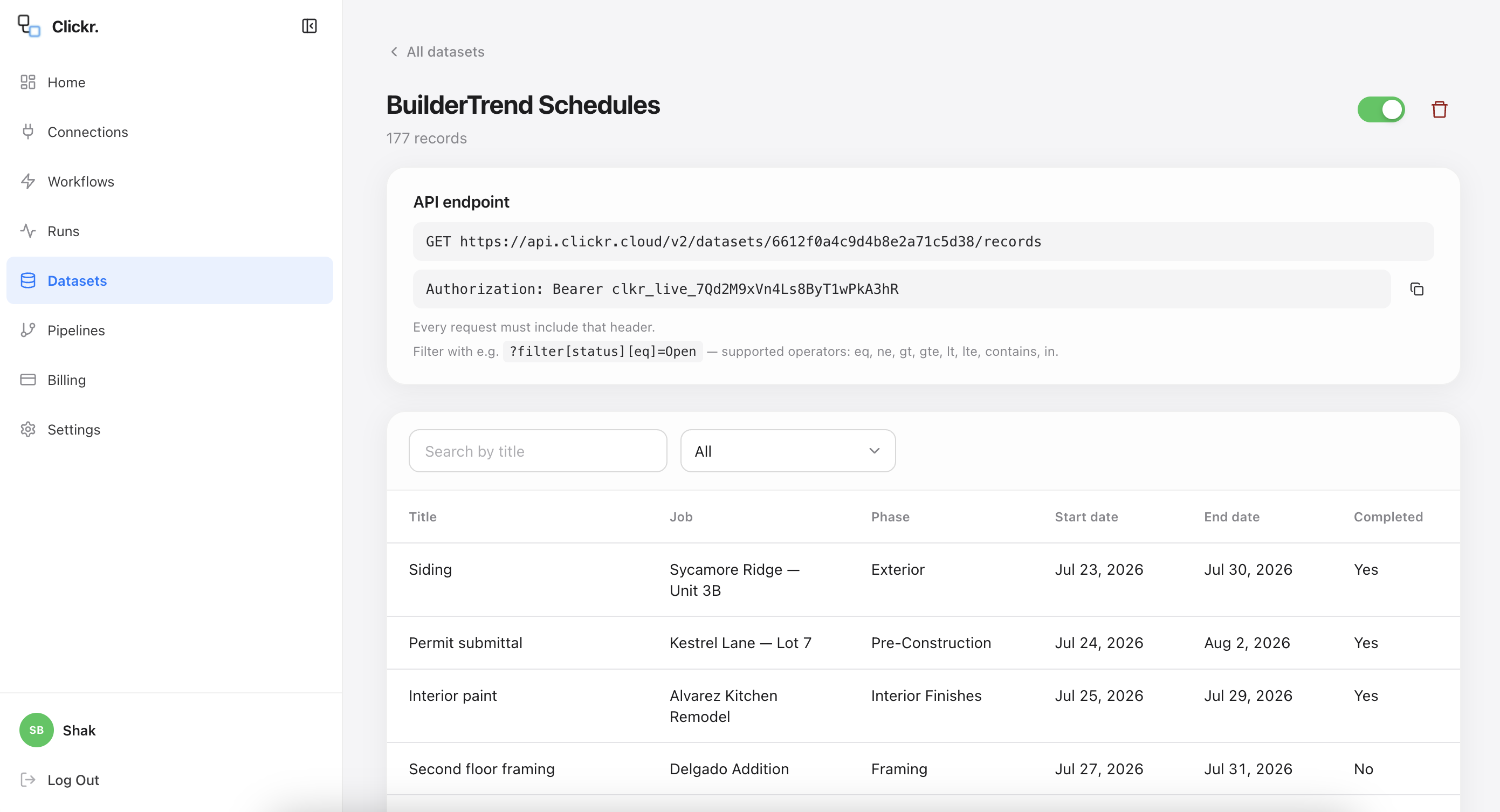
Buildertrend's calendar sync runs on a lag, and it sends no notification to a subcontractor when their date changes. Crews turn up on the old date because nothing told them otherwise.
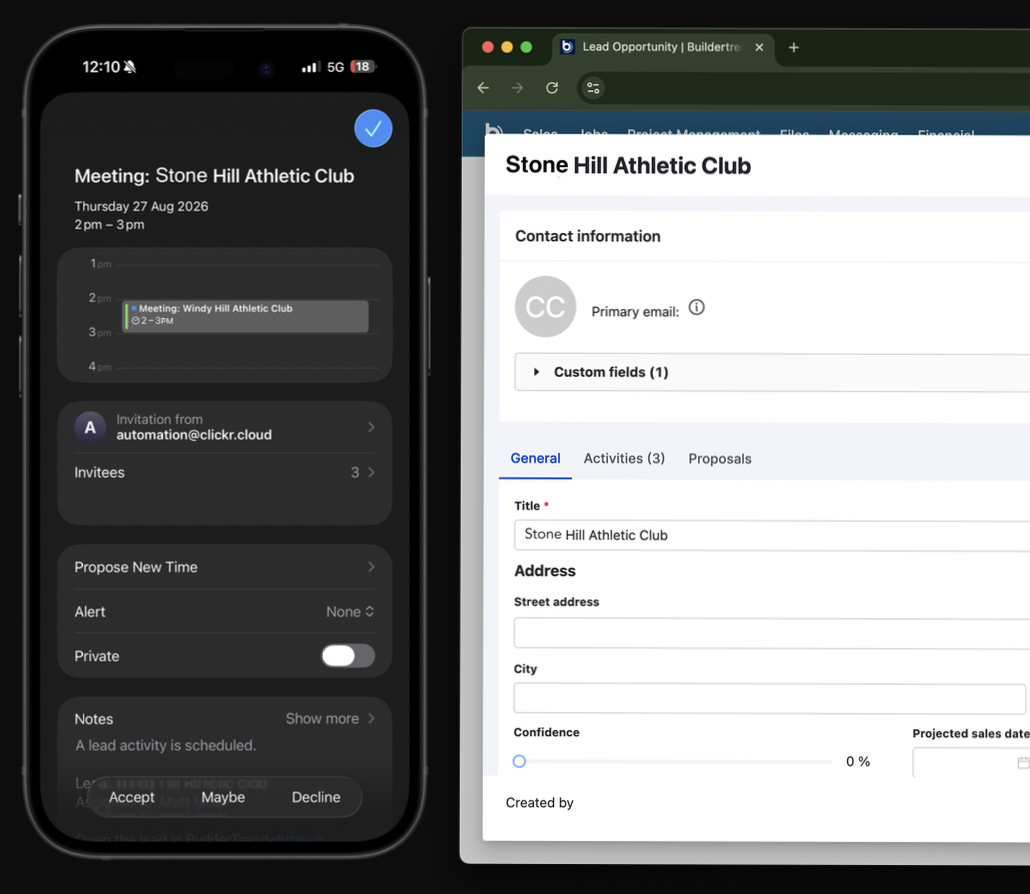
Clickr picks the change up in your Schedules dataset within 10 minutes, looks the item up in Buildertrend to resolve who is assigned, and sends that person a calendar invite. You configure it once as a pipeline, without writing code.
Schedule item moved in Buildertrend
Change lands in your Schedules dataset
Invite in the subcontractor's calendar
“Shak took the time to understand how we currently use BuilderTrend and where we needed better connectivity. We set up automations to help keep our schedules synced automatically, which has already made the process more seamless. Based on my experience with Clickr, I'm looking forward to using it to connect BuilderTrend with even more of the tools we rely on every day.”

Matt Miller
Hilltop Pools and Spas, Inc.
Setting it up
Connect an account, pick datasets, start reading
Setup is self-serve and nothing in it waits on us. We are happy to walk you through it on a call if you would prefer.
1 / 3
Connect your account
Sign in with the Buildertrend account you already have. Clickr does not create a user inside your account, and you can revoke its access from your own settings.
about a minute
2 / 3
Pick your datasets
Choose which datasets you want out: schedules, tasks, leads, lead activities, jobs, change orders, proposals, estimates, purchase orders, daily logs, invoices, bills, lead proposals, selections, bid packages, job costing budget, documents, time clocks, internal users and client contacts. Your history backfills once, then the 10-minute resync takes over.
backfill runs in the background
3 / 3
Start reading
Open the dashboard, call the REST API, connect your AI assistant, or build a pipeline that fires when a record changes.
same day
Connector pricing
Free for three months, then $80 a month
The connector is in beta while we onboard builders onto it, so the first three months cost nothing and your backfill is included.
Beta
Free
for 3 months
Backfill of your full history
10-minute resync on every dataset
Dashboard, REST API and MCP access
Pipelines, webhooks and calendar invites
Run history and failure alerts
Cancel anytime
After that
$80
Standard
Up to 100 runs a day. One price for the whole connector, with every dataset on it included.
$120
Velocity
Up to 500 runs a day, for busier accounts and shorter sync windows.
Prices in USD. There are no long-term contracts, and you can export your data before you cancel.
Who runs this

Who maintains the connector
Clickr has been running automations in production since 2023, for more than 200 businesses. Buildertrend is one of two connectors we operate, and keeping the list short is what lets us monitor each one properly.
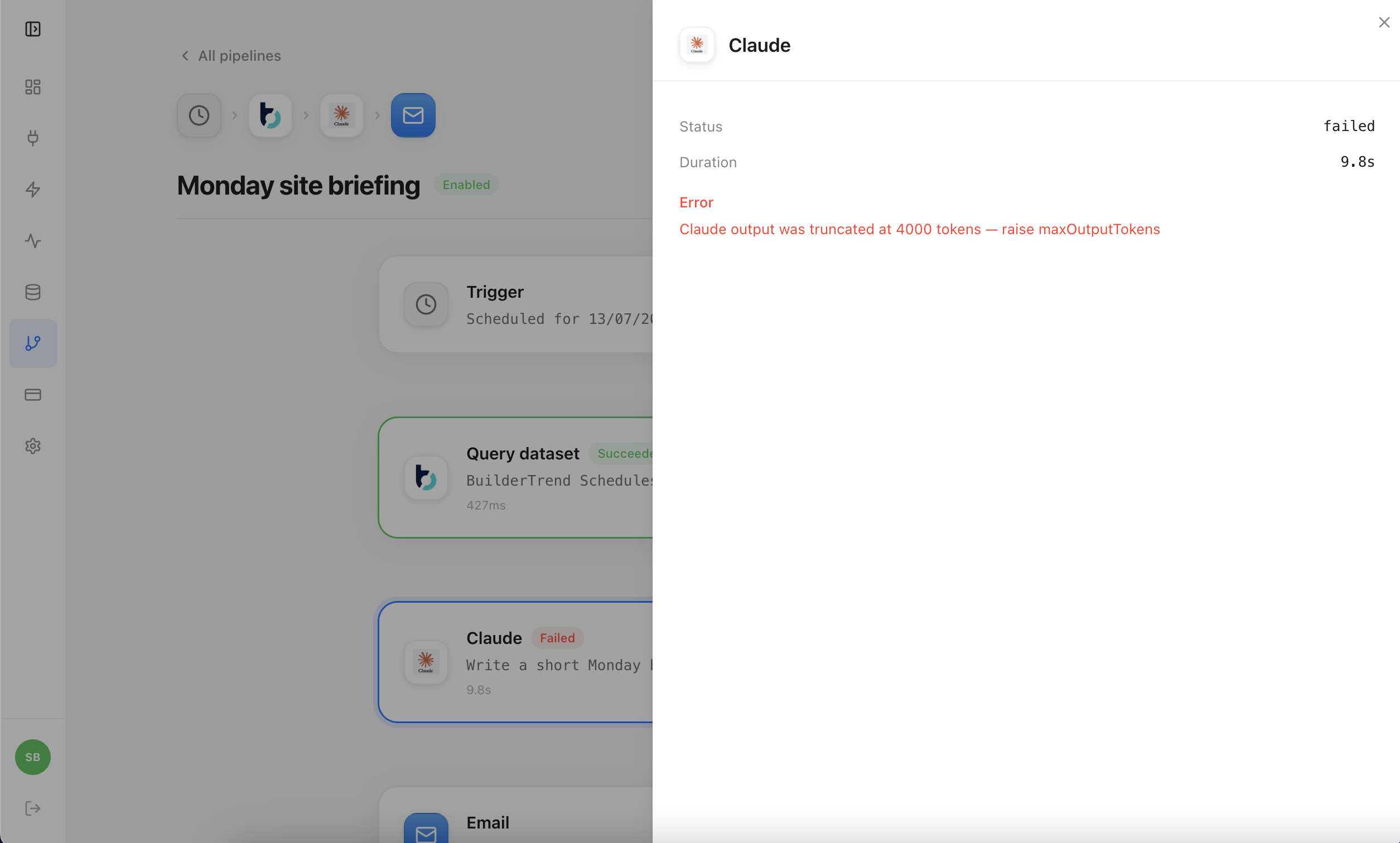
Every sync writes a run record with its status, duration and error. Failures alert our team at the same time they appear in your run history, so a broken sync is usually being worked on before you notice it.
Support is email, answered by the people who build the connectors, within one business day.
Shak Mohammed
Director, Clickr · shak@clickr.cloud
You connect your own login
Clickr signs in with the Buildertrend account you already have. It does not create a user inside your account, and you can revoke its access from your own settings without contacting us.
Interface changes are handled centrally
Buildertrend changes their interface periodically, and a sync fails when they do. The failure appears in your run history and alerts our team, and the fix ships to every customer at once.
Not supported yet
Clickr does not push leads into Buildertrend, touch invoicing, or sync documents and photos. If you need one of those, tell us and we will tell you where it sits on the roadmap.
Frequently asked questions
If your question is not here, email us and a person will answer it. support@clickr.cloud.
Not a public one. Buildertrend publishes no open REST API you can sign up for and call.
More on our Buildertrend connector
The rest of the connector
This page covers the connector as a whole. Each access path has its own page: the REST API, exporting to a spreadsheet or warehouse, connecting an AI assistant, and schedule notifications.
A REST endpoint over your synced Buildertrend records, with bearer token auth and JSON responses.
Send schedules, tasks and jobs into Google Sheets, Excel, Power BI or your own warehouse.
Connect Claude, ChatGPT or Cursor to your synced records and ask questions in plain English.
Prompts to try on a sample builder with no sign-in, and how to connect your own Buildertrend.
Send a calendar invite to the assigned subcontractor within minutes of a schedule date changing.
Connect Buildertrend
and pick a dataset
The first three months are free and your backfill is included. Sign in with the account you already have, choose a dataset, and your records are queryable in about 10 minutes.
or email support@clickr.cloud with a question first