
3 things to ask ChatGPT or Claude to build from your Buildertrend data

Last updated

Clickr connects your Buildertrend (and QuickBooks) to Claude or ChatGPT, so you can build dashboards, reports and client updates from your own records.

Try it on a sample builder

You can try every prompt below on Halvorsen & Styke Builders, a fictional remodeler in Colorado with 8 open jobs, with no sign-in.

Ask for a dashboard of your Buildertrend jobs

Build a dashboard of my open Buildertrend jobs: progress against schedule, budget spent so far, and what's due this week.
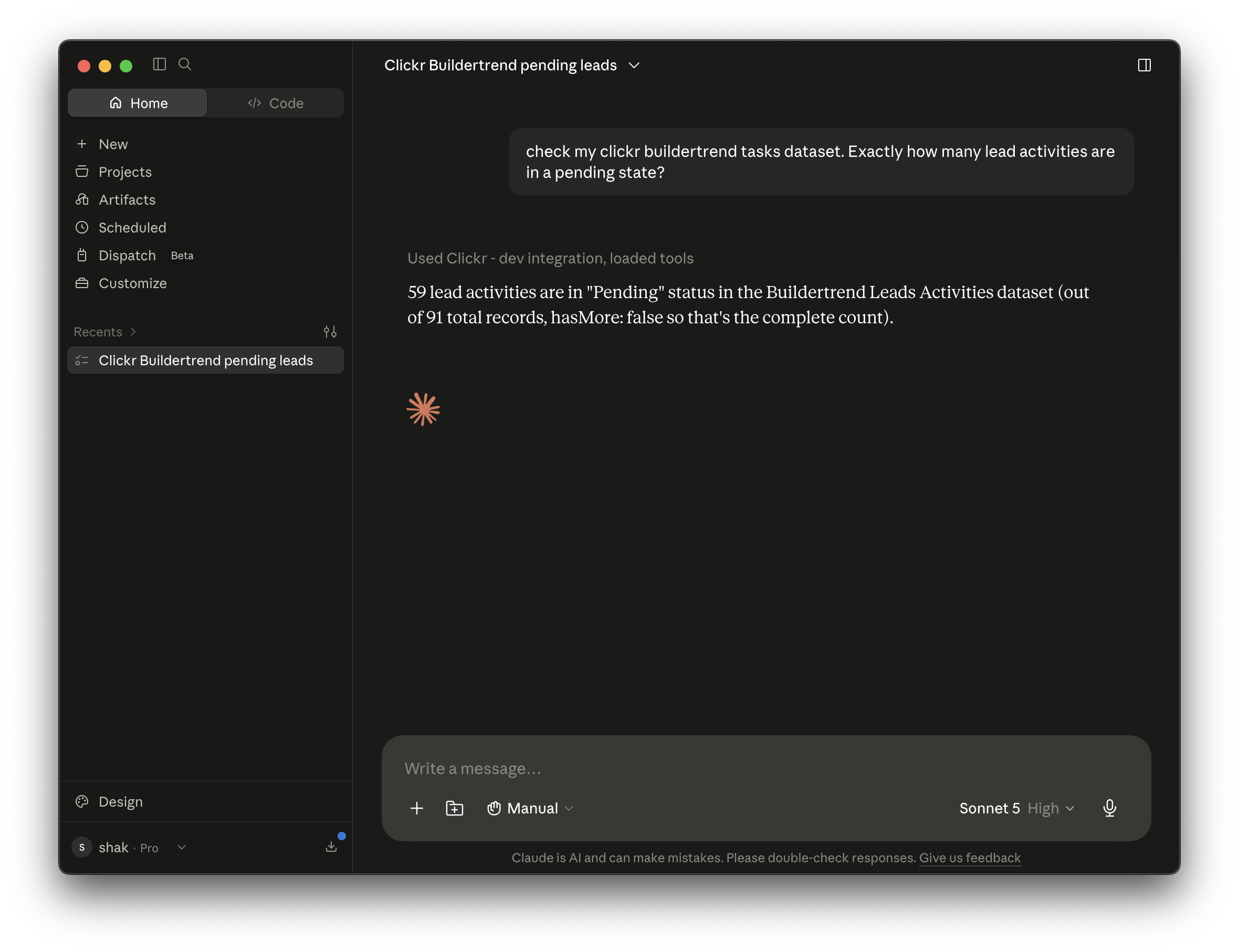
Claude asked to check a Clickr Buildertrend dataset for exactly how many lead activities are pending. It uses the Clickr integration and answers that 59 lead activities are in Pending status, out of 91 total records.
Sample data · Halvorsen & Styke Builders

In the sample builder, Patel and Brooks are behind schedule and have spent 81% and 88% of their budgets.

How this works

To build a dashboard from Buildertrend, connect Buildertrend to Claude or ChatGPT through Clickr and ask: "Build a dashboard of my open Buildertrend jobs: progress against schedule, budget spent so far, and what's due this week." The assistant reads your jobs, schedules and job costing budget, and lays them out as a dashboard.

Reads: Buildertrend Jobs, Schedules and Job Costing Budget datasets.

To keep the dashboard live, ask ChatGPT or Claude to build it to query Clickr's REST API. Clickr resyncs your Buildertrend data every 10 minutes.

Try this prompt using our sandbox dataUse this prompt on my Buildertrend

Ask for a weekly report on each Buildertrend job

Make a weekly report for each of my Buildertrend jobs: what got done, what's running late, and what's next.

Claude asked to check a Clickr Buildertrend dataset for exactly how many lead activities are pending. It uses the Clickr integration and answers that 59 lead activities are in Pending status, out of 91 total records.
Sample data · Halvorsen & Styke Builders

In the sample builder, the late items sit on two jobs: Patel and Brooks.

How this works

To get a custom report from Buildertrend, connect Buildertrend to Claude or ChatGPT through Clickr and ask: "Make a weekly report for each of my Buildertrend jobs: what got done, what's running late, and what's next." The assistant reads this week's daily logs, schedule items and open tasks, and writes the report job by job.

Reads: Buildertrend Daily Logs, Schedules and Tasks datasets.

Ask for a client update from your Buildertrend daily logs

Write a progress update for the client on my most recently updated Buildertrend job, from this week's daily logs, in plain language.

Claude asked to check a Clickr Buildertrend dataset for exactly how many lead activities are pending. It uses the Clickr integration and answers that 59 lead activities are in Pending status, out of 91 total records.
Sample data · Halvorsen & Styke Builders

In the sample builder, that is the Ortega kitchen: the upper cabinets went in on the north wall yesterday.

How this works

To write a client update from Buildertrend, connect Buildertrend to Claude or ChatGPT through Clickr and ask: "Write a progress update for the client on my most recently updated Buildertrend job, from this week's daily logs, in plain language." The assistant finds the job, reads its daily logs and schedule, and writes an update your client can read without Buildertrend.

Reads: Buildertrend Daily Logs, Jobs and Schedules datasets.

Clickr does not send email. Your assistant writes the update, and sending it needs your own email connected to the assistant.

How can I access my Buildertrend data?

Buildertrend publishes no public REST API, so there are 3 ways to get at your Buildertrend data: export a list by hand, or connect Buildertrend to Clickr and either ask ChatGPT or Claude or call Clickr's REST API.

WayWhat you getSuits
Ask ChatGPT or Claude, through Clickr's MCP connectorDashboards, reports and answers built from your synced Buildertrend recordsBuilding on your data without writing code
Call Clickr's REST APIYour Buildertrend datasets as JSON, resynced every 10 minutesYour own software, reports and automations
Export from Buildertrend by handA spreadsheet of one list, accurate on the day you ran itA one-off look at one list

To build dashboards, reports or client updates from your Buildertrend data without writing code, connect Buildertrend to ChatGPT or Claude through Clickr's MCP connector.

How to connect Buildertrend to ChatGPT or Claude

To connect Buildertrend to ChatGPT or Claude, create a Clickr account, connect your Buildertrend login to Clickr, then add Clickr's MCP connector in your assistant's settings.

1 · Buildertrend

Connect Buildertrend

Connect your existing Buildertrend account to Clickr, with the level of access you choose.

2 · Clickr

Choose your datasets

Pick which Buildertrend datasets Clickr syncs, such as jobs, schedules, tasks and daily logs. Your assistant can read the datasets you turn on and nothing else.

3 · Claude or ChatGPT

Ask in Claude or ChatGPT

Add Clickr's MCP connector and approve access once. When you ask a question, the assistant pulls the records it needs and answers in the chat.

Read-only. Revoke your assistant's access at any time under Settings › Connected applications in Clickr.

How to connect Buildertrend to Claude

  1. In Clickr, connect your Buildertrend account and turn on the datasets you want.

  2. Copy your MCP URL from Developer API › MCP in the Clickr dashboard.

  3. In Claude, open Settings › Connectors and choose Add custom connector.

  4. Paste the URL, sign in to Clickr when Claude asks, and approve access.

Claude Code

claude mcp add --transport http clickr https://api.clickr.cloud/mcp

How to connect Buildertrend to ChatGPT

  1. In Clickr, connect your Buildertrend account and turn on the datasets you want.

  2. Copy your MCP URL from Developer API › MCP in the Clickr dashboard.

  3. In ChatGPT, turn on Developer mode under Settings › Security and login.

  4. Create an app for a remote MCP server, paste the URL and set authentication to OAuth.

  5. Sign in to Clickr when ChatGPT asks, and approve access.

What you need: a Buildertrend login, a Clickr account, and Claude or a ChatGPT plan with Developer mode (Plus, Pro, Business, Enterprise or Education). Clickr's Buildertrend connector is free for 3 months, and a card is required at signup.

To try it before signing up, connect the sample builder instead. It needs no Clickr account and no sign-in. Set up the sample builder.

https://api.clickr.cloud/mcp/playground?ref=chatgpt-claude-page

What ChatGPT and Claude can and can't do with your Buildertrend data

Through Clickr, ChatGPT and Claude can read your Buildertrend data but cannot change it, because Clickr's Buildertrend connection is read-only.

Can

  • Read the Buildertrend datasets you turn on in Clickr: 20 today, including jobs, schedules, tasks, daily logs, estimates, purchase orders, bills and time clocks

  • Answer from data that is at most 10 minutes old

  • Build dashboards and reports, and draft text, from the records it reads

  • Follow up on the records it already pulled in the same chat

Can't

  • Create, edit or delete anything in Buildertrend

  • See datasets you have not turned on in Clickr

  • Send email by itself. That needs your own email connected to the assistant.

Questions about Buildertrend, ChatGPT and Claude

Yes. Clickr connects Buildertrend to ChatGPT through an MCP connector. You add Clickr as an app in ChatGPT's Developer mode, which is available on Plus, Pro, Business, Enterprise and Education plans, and then ask for dashboards, reports or answers from your Buildertrend data.

Try Buildertrend in ChatGPT or Claude on a sample builder

Add the sample builder to Claude or ChatGPT and run the 3 prompts above with no sign-in. When you connect your own Buildertrend, the first 3 months are free and your backfill is included.

Try it on a sample builder

A fictional builder with 8 open jobs. No sign-in.

Start free trial

Connect your own Buildertrend

Last updated:

Clickr is an independent company. It is not affiliated with, endorsed by or sponsored by Buildertrend, Anthropic or OpenAI. Buildertrend, QuickBooks, Claude and ChatGPT are trademarks of their respective owners.